Instead of relying on templates and manual edits, the updated platform lets users issue requests such as building a campaign or adjusting visual styles, with the AI applying changes across Canva’s tools in real time. The interface can draw on features including brand kits, media libraries, and editing tools, effectively shifting how users interact with the broader product.
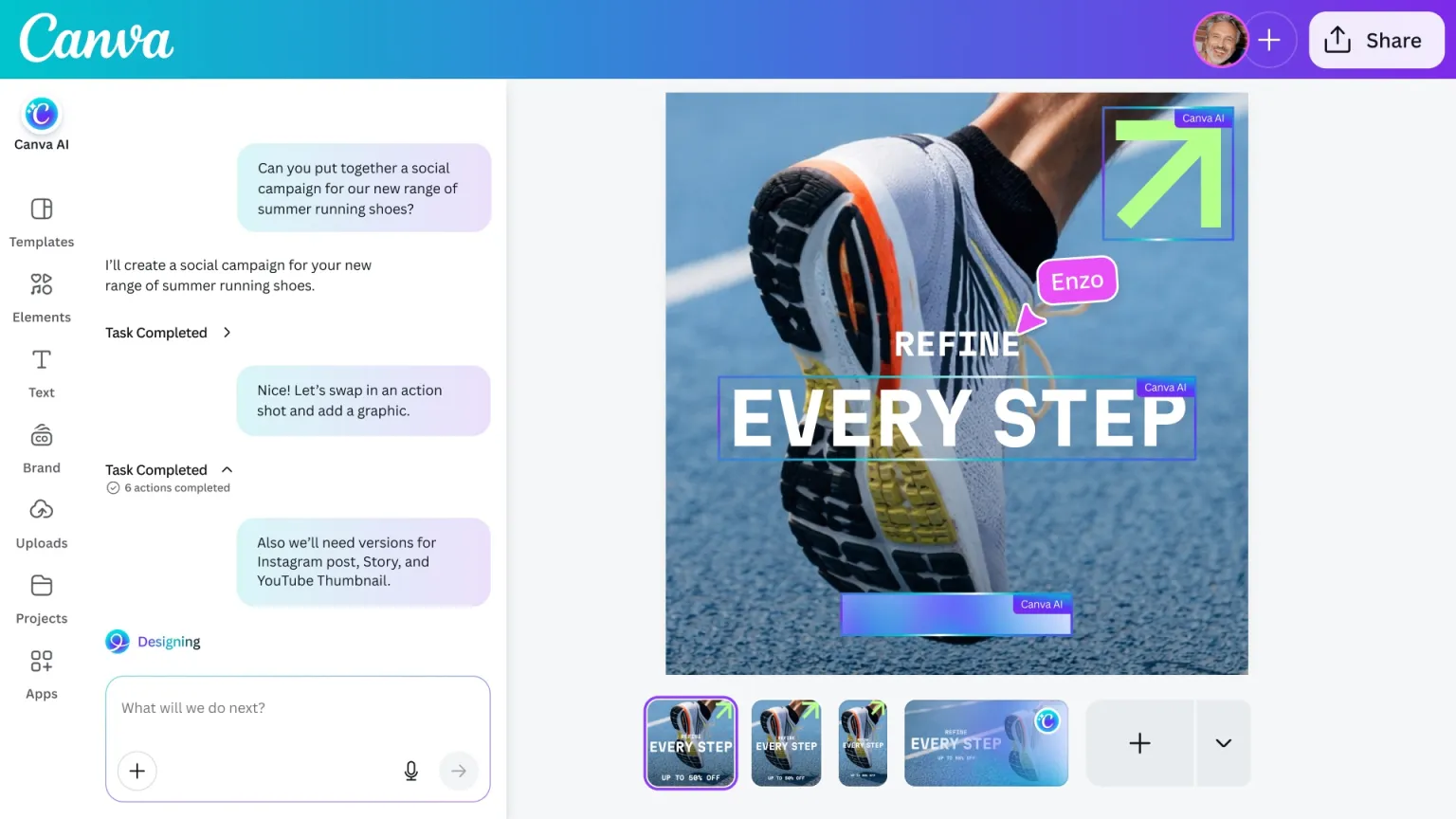
The release builds on Canva’s ongoing investment in AI, but marks a shift from adding isolated features to restructuring the overall experience around natural language input. By placing a conversational layer over its design system, the company is positioning the AI as a central control point rather than a supporting tool.
The update arrives as design software companies compete to integrate generative AI more deeply into their products. While many have introduced chat-based assistants, Canva’s approach centers on applying prompts across multiple functions simultaneously, aiming to reduce the need for manual adjustments across different parts of a project.
For teams handling marketing and content production, the feature set is designed to simplify repetitive work such as generating variations of a design or adapting assets for different formats. The system can execute these changes without requiring users to duplicate files or modify elements individually.
Canva said it tested the capabilities with enterprise users ahead of launch, refining how the system interprets prompts and applies changes. The company is using the staged rollout to gather additional feedback as the feature expands.
The release also underscores Canva’s broader strategy to compete more directly with established design platforms. By lowering the barrier to producing finished visuals, the company is aiming to expand its role beyond template-based design into a more comprehensive creative workflow tool.
The company did not outline specific performance benchmarks for the new system, and the effectiveness of the conversational interface will depend on how accurately it translates user instructions into design outputs as usage scales.
This analysis is based on reporting from techbuzz.
Images courtesy of Canva.
This article was generated with AI assistance and reviewed for accuracy and quality.
