What Prompt-Based Video Editing Actually Means
Traditional video editing requires learning software interfaces, keyboard shortcuts, and technical concepts like keyframes, color grading, and audio mixing. Even "simple" tasks like removing a background involve multiple steps across different tools and menus.
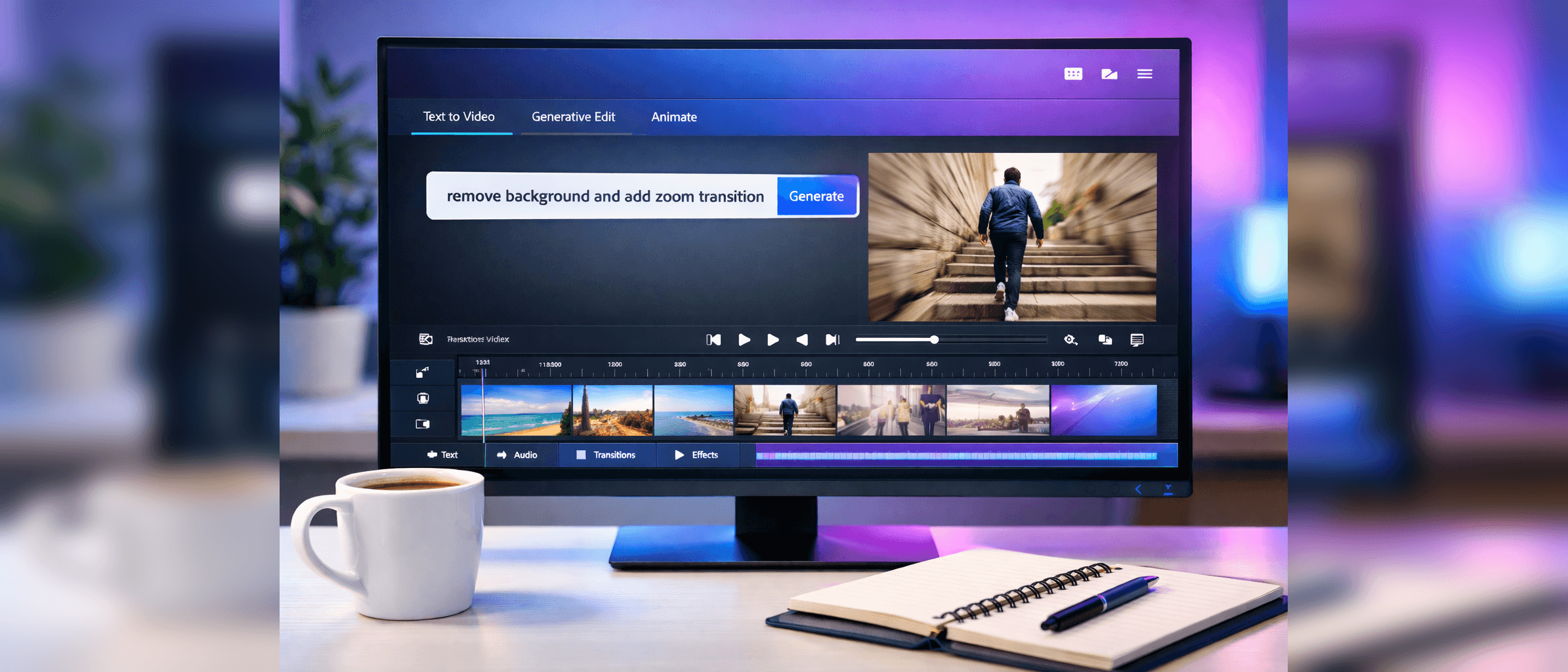
Prompt-based editing eliminates this barrier. You describe what you want, and AI executes it. "Make this video brighter" adjusts exposure and color balance automatically. "Remove pauses longer than two seconds" analyzes your footage and cuts silence. "Add background music that matches the mood" selects and synchronizes appropriate audio.
This isn't dumbed-down editing—it's expert editing made accessible. The AI understands professional techniques and applies them based on your description. You get results that would require years of training to produce manually, all through natural language commands.
Five Video Tasks Small Businesses Can Now Handle In-House
1. Product Demonstration Videos: Record your product on a phone, then prompt: "Remove background, stabilize footage, add text labels highlighting key features, create a 60-second version." Adobe Firefly handles the technical execution while you focus on messaging and strategy.
2. Social Media Content: Transform long-form content into social clips with prompts like: "Extract three 15-second highlights where I mention pricing, add captions, resize for Instagram vertical format." One shoot becomes dozens of optimized social posts.
3. Customer Testimonial Videos: Record customer interviews, then prompt: "Remove filler words, add name and title lower-thirds, create 30-second highlight reel focusing on results achieved." Professional testimonials without professional editors.
4. Training and Tutorial Videos: Screen recordings become polished tutorials with: "Add zoom effects when clicking important buttons, speed up navigation sequences, insert text callouts explaining each step." Internal training content that looks professionally produced.
5. Marketing Campaign Videos: Stitch together stock footage, product shots, and graphics with: "Create a 45-second product launch video using these clips, add transitions, synchronize to upbeat background music, optimize color grading for social media." Campaign-ready content in minutes, not days.
The Cost Equation: Editor vs. Software
Professional video editors charge $50-150/hour, with typical projects requiring 5-20 hours. A simple product video costs $500-2,000. Monthly retainers for ongoing content run $2,000-5,000 for small businesses.
Adobe Creative Cloud with Firefly costs $54.99/month (single app) or $89.99/month (all apps). At the low end, one avoided editor project pays for an entire year of Adobe subscriptions. At the high end, you're saving thousands monthly while controlling your own production timeline.
The math becomes obvious: for businesses producing regular video content, prompt-based editing tools deliver 10x ROI within the first quarter. The break-even point is typically the second video you create in-house rather than outsource.
What Still Requires Human Editors (For Now)
Prompt-based editing handles technical execution brilliantly but lacks strategic judgment. Here's what you still need humans for:
Storytelling and Narrative Arc: AI can cut footage based on instructions, but it can't determine which story to tell or how to build emotional connection with your audience. You still need to decide which customer pain points to highlight, which testimonial quotes resonate strongest, and how to structure your video for maximum impact.
Brand Consistency: While AI can apply specific styles you request, maintaining subtle brand consistency across campaigns requires human oversight. Color palettes, pacing, tone, and visual metaphors that define your brand identity still benefit from experienced creative direction.
Complex Multi-Element Sequences: Simple edits work flawlessly with prompts. Complex sequences involving multiple video layers, custom animations, intricate timing, and coordinated audio design still require manual refinement. AI gets you 80% of the way; the final 20% needs human polish.
Quality Control and Context: AI can't evaluate whether your video effectively communicates your message or whether footage accidentally includes sensitive information. Human review remains essential before publishing.
The Third-Party Model Integration Game-Changer
Adobe allowing third-party AI models within Firefly breaks the traditional creative software lock-in. Previously, you used Adobe's tools exclusively. Now, Adobe becomes a platform where you choose the best AI model for each task.
Need to generate B-roll footage? Use Runway's video generation model. Want to remove background audio noise? Integrate Descript's audio AI. Creating custom animations? Tap OpenAI's video models. Adobe provides the interface and workflow management while AI models handle specialized tasks.
This creates competitive pressure benefiting users. AI model providers must deliver superior results to win placement in Adobe's ecosystem. You're no longer stuck with whatever capabilities Adobe develops internally—you access the best available AI for each specific need.
Getting Started: Your First Prompt-Based Edit in 5 Minutes
Step 1: Open Adobe Premiere Pro or After Effects (Firefly is integrated into both). Import your raw footage.
Step 2: Select your clip and open the Firefly prompt panel (look for the purple star icon).
Step 3: Describe your desired edit in simple terms: "Remove the background and replace with gradient blue to purple."
Step 4: Review the AI-generated result. If it's not perfect, refine your prompt: "Make the background gradient darker and add slight blur."
Step 5: Export and publish. That's it.
Start with simple, single-task prompts. As you understand what Firefly can do, combine multiple instructions: "Remove background, add zoom effect, stabilize footage, and brighten by 20%." The AI handles all steps simultaneously.
The Bottom Line for Small Business Owners
Adobe Firefly's prompt-based video editing democratizes professional video production the same way iPhone cameras democratized photography. Technical barriers that required years of training now require only clear communication of what you want.
For businesses creating product demos, social content, customer testimonials, or marketing campaigns, this represents a fundamental cost structure change. Video content that previously required outsourcing or expensive hires becomes an in-house capability accessible to anyone on your team.
The caveat: AI handles execution, not strategy. You still need to know what story you're telling, which messages matter to your audience, and how video fits your marketing strategy. But once you know what you want, Firefly makes the creation process as simple as describing it in plain English.
The businesses that win are those that recognize this shift early. While competitors continue outsourcing video production and waiting weeks for deliverables, you're iterating daily, testing messages rapidly, and producing volume that would have been economically impossible just months ago. That agility advantage compounds over time.
Sources and Further Reading:
Photo courtesy of Unsplash
Adobe Firefly features and capabilities current as of publication date. Pricing and feature availability subject to change. Always verify current Adobe Creative Cloud plans before purchasing.