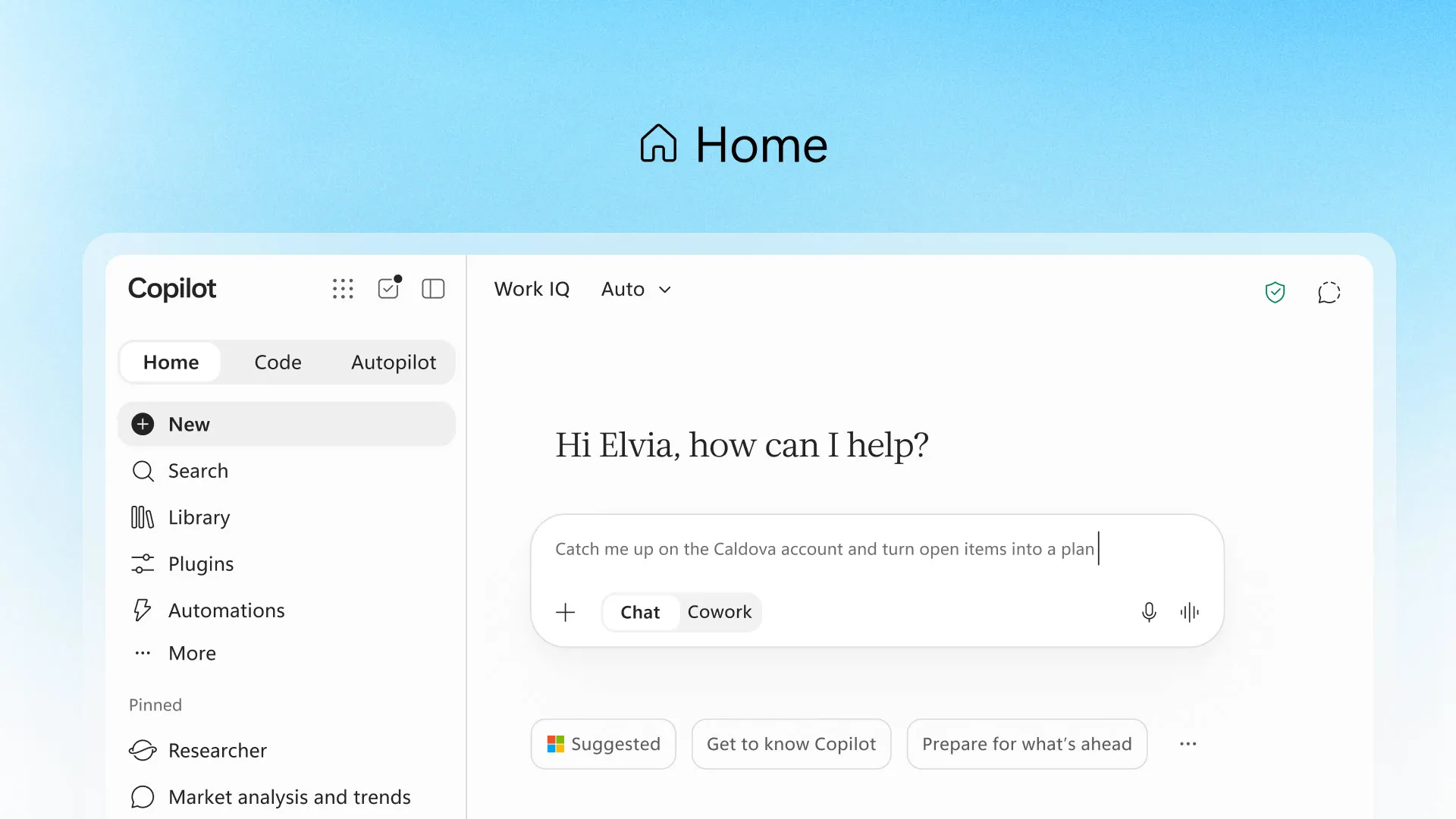
Home serves as the main workspace. It combines Copilot Chat with Cowork, Microsoft's agentic task-completion feature, and is designed to reduce the need to move between separate Copilot experiences.
Microsoft is also bringing Office creation directly into Copilot. Users can ask the assistant to generate Word documents, Excel workbooks or presentations and then continue editing and collaborating on those files without leaving the Copilot app.
Jared Spataro, Microsoft's chief marketing officer of AI at work, described Home as a central place for users to resume work and understand what Copilot can do. “Home is where you get your bearings, keeping you grounded and moving forward: review recent activity, get suggestions on what Copilot can help with, and pick up work right where you left off.”
Microsoft is separately developing a Today view that will bring together information from email, calendars, Teams conversations, meetings and tasks. The company describes it as a personalized dashboard intended to surface missed activity and highlight what needs attention.
The Code tab takes Copilot into AI-assisted software creation, but Microsoft is aiming the feature beyond professional developers. Users can describe an app, dashboard, tracker or automation in natural language and have Copilot build it.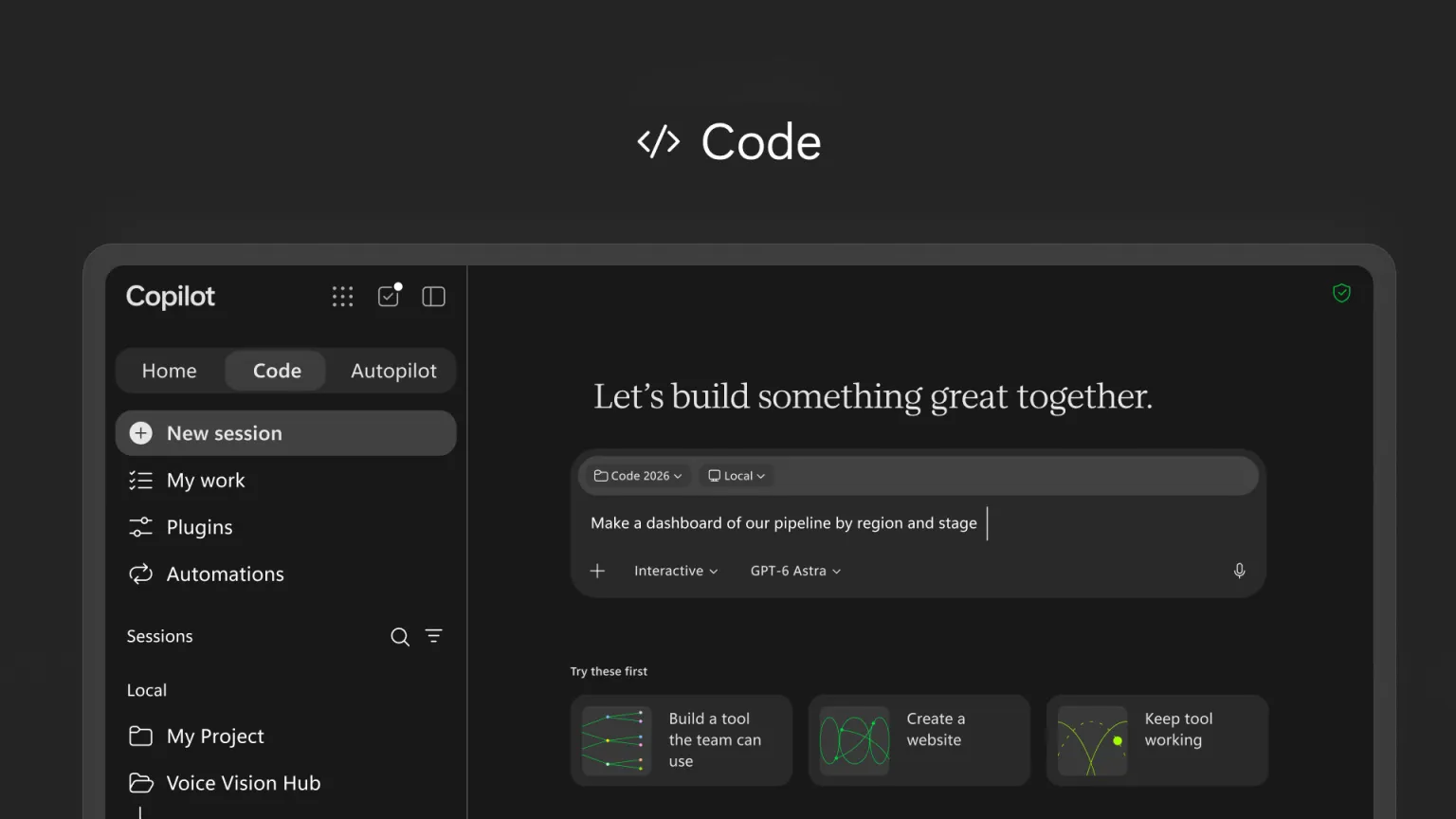
Microsoft says Code uses the same underlying technology as GitHub Copilot and runs inside a sandboxed environment. Apps created through the feature can operate through the Microsoft Copilot Managed Runtime inside a customer's Microsoft 365 tenant.
That architecture is aimed at organizations that want employees to experiment with AI-generated software while keeping those applications within centrally managed company infrastructure.
Code is initially headed to Microsoft's Frontier early-access customers, with Microsoft 365 Premium and Pro subscribers expected to receive access later this year.
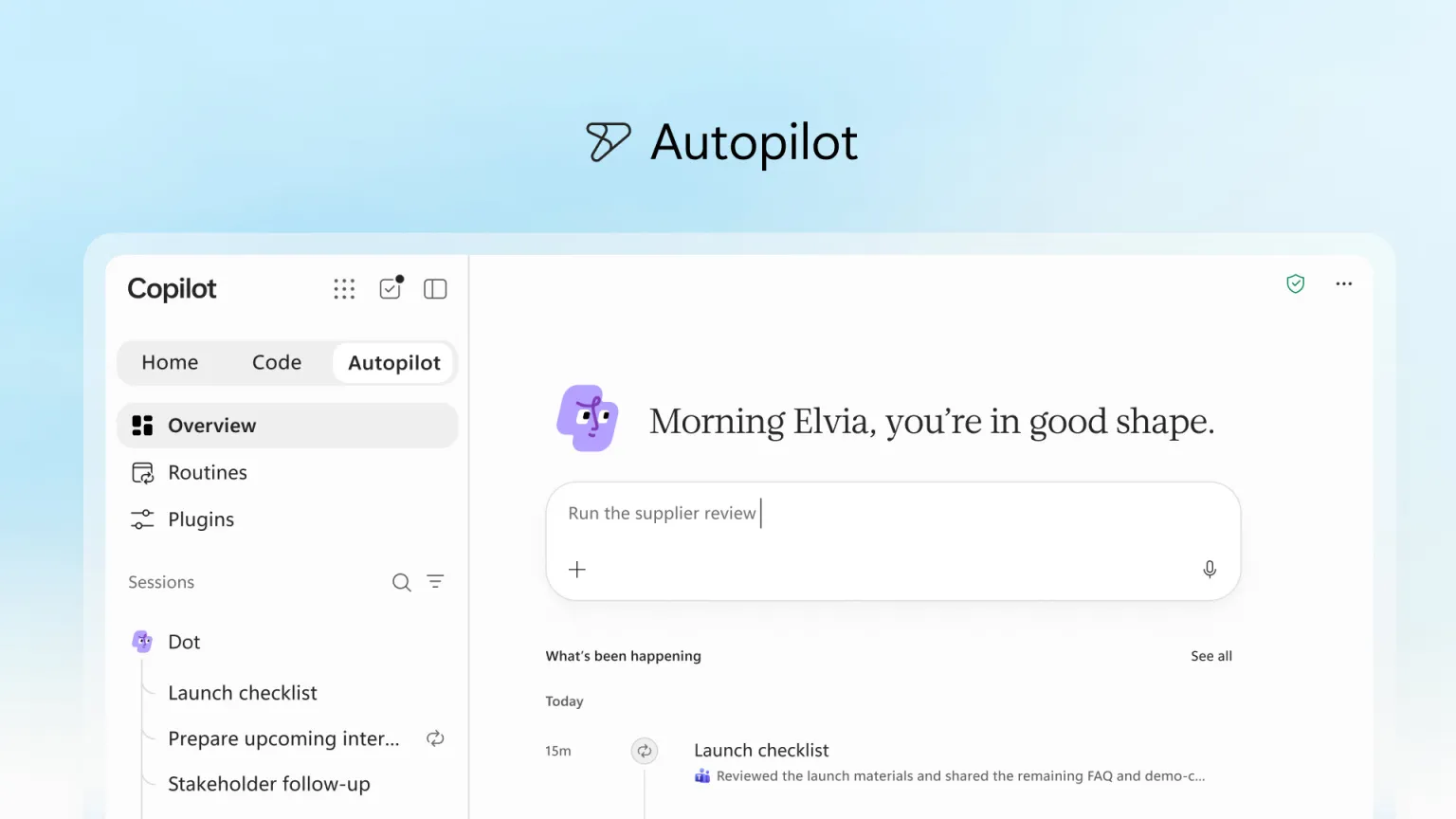
Autopilot is the new name for Scout, an agent Microsoft introduced earlier this year. Unlike a conventional chatbot, Autopilot is designed to continue carrying out work after the user steps away.
Microsoft describes each agent as having its own identity, memory, computer and workspace. Autopilot can also be brought into Teams, Outlook, documents, chats and channels through mentions, allowing employees to interact with it more like another participant in their workflow.
“Autopilot lives in your tenant with its own identity, memory, computer, and workspace, and it's built on Microsoft IQ so it understands how your organization actually works,” Spataro said.
The company is pairing those capabilities with enterprise controls. IT administrators can manage permissions and auditing around Autopilot, while the agents can handle recurring work, monitor Teams activity and perform follow-up tasks.
The pricing model changes substantially once users move beyond conventional Copilot features. A standard user subscription continues to cover chat, Copilot functionality inside Word, Excel, PowerPoint, Outlook and Teams, and model selection.
Cowork, Code, Autopilot and other long-running agent tasks instead use consumption-based pricing. Usage-based services are disabled by default, and administrators can set spending policies and limits before enabling them.
Microsoft is also introducing FinOps for AI tools to give administrators more visibility into that spending. Businesses will be able to review usage and costs, while individual users can see credit consumption from within Copilot.
The shift reflects the different economics of autonomous AI systems, which can continue consuming computing resources as they execute longer tasks. Microsoft's approach separates those workloads from the predictable monthly cost of its conventional Copilot subscription.
Home and Code are expected to reach Frontier customers in the coming weeks, while Autopilot is scheduled to enter private preview later this month. Microsoft plans to bring Code to Microsoft 365 Premium and Pro subscribers later this year.
Microsoft is framing the redesign as a major reset for Copilot rather than another standalone feature release. The company wants the app to become the common entry point for AI-powered work across its productivity software.
“Just as Office defined work for the PC era, the new Copilot is built to define it for the AI era,” Spataro said.
The more immediate test will be whether combining chat, coding and autonomous work into one interface makes Copilot easier for organizations to deploy. Microsoft has consolidated the product experience, but businesses will now also have to decide which agentic features justify variable costs and how broadly they are willing to turn them on.
This analysis is based on reporting from ZDNET.
Images courtesy of Microsoft.
This article was generated with AI assistance and reviewed for accuracy and quality.
