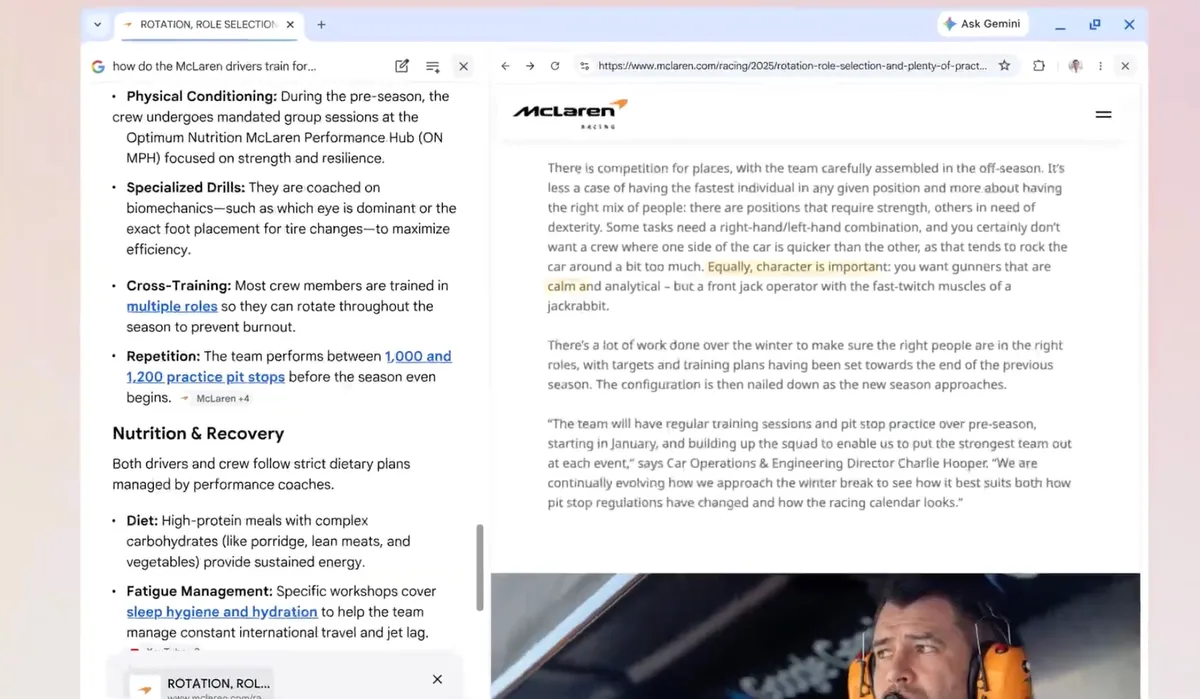
During a demonstration, Google showed how the feature can support more complex research tasks, such as analyzing multiple sources on a topic while continuing to ask follow-up questions in real time. The side-by-side format is intended to reduce friction when moving between pages and AI responses.
Chrome is also gaining the ability to search across open tabs. Users can select multiple tabs, images, or files—such as PDFs—and include them as context in AI Mode queries. Once added, the system generates responses based on that combined set of materials and can suggest additional sources to review. The feature is available on both desktop and mobile versions of Chrome.
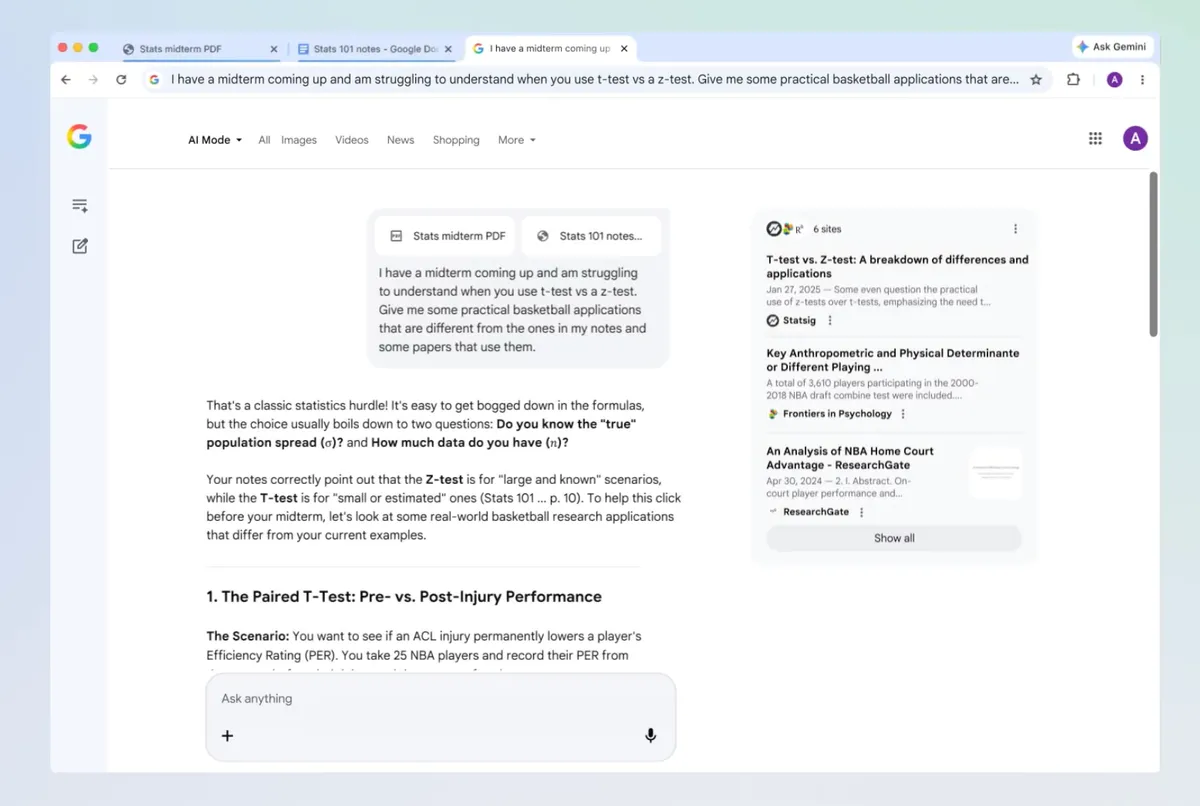
In another example, Google showed how this multi-tab capability could be used for studying, combining lecture notes, readings, and slides into a single query. AI Mode then produces responses tailored to the selected materials, effectively turning the browser into a workspace that can synthesize information from multiple sources at once.
The update also introduces quicker access to tools within AI Mode. A new menu allows users to launch features like Canvas, which helps organize projects and plans, or image generation tools for creating and editing visuals directly within the browser interface.
The new capabilities are rolling out in the U.S., with broader availability expected later.
This analysis is based on reporting from CNET.
Images courtesy of Google.
This article was generated with AI assistance and reviewed for accuracy and quality.
